
North Arrow
Add and style the north arrow on your map.
Steps
Click the Paint Brush icon to open Styles.
Select North Arrow.
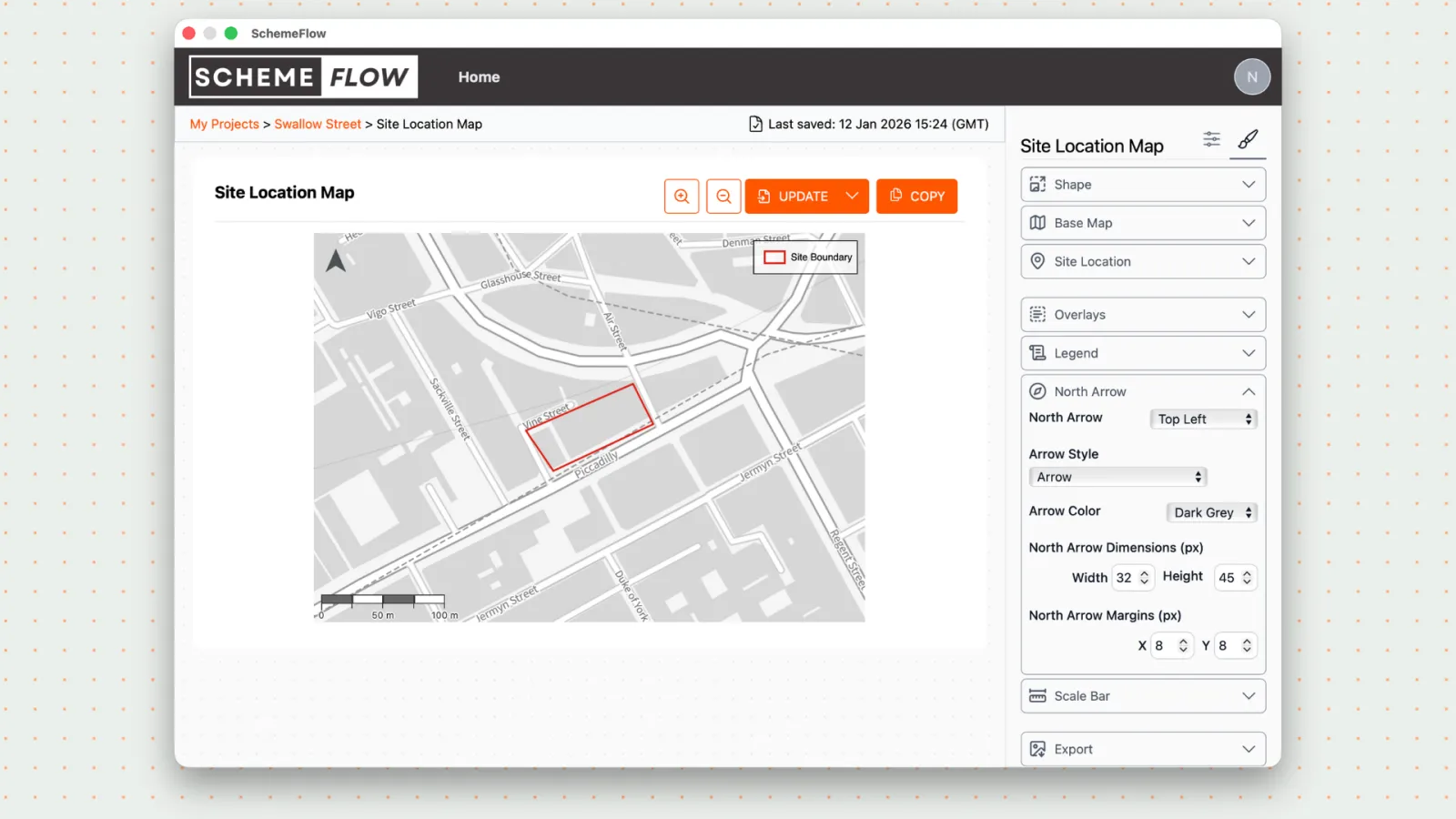
Update the north arrow settings as needed:
- Change the position on the map
- Select a SchemeFlow default style
- Change the color
- Adjust the size and margin
- Remove the north arrow
- Upload a custom north arrow in PNG or SVG format
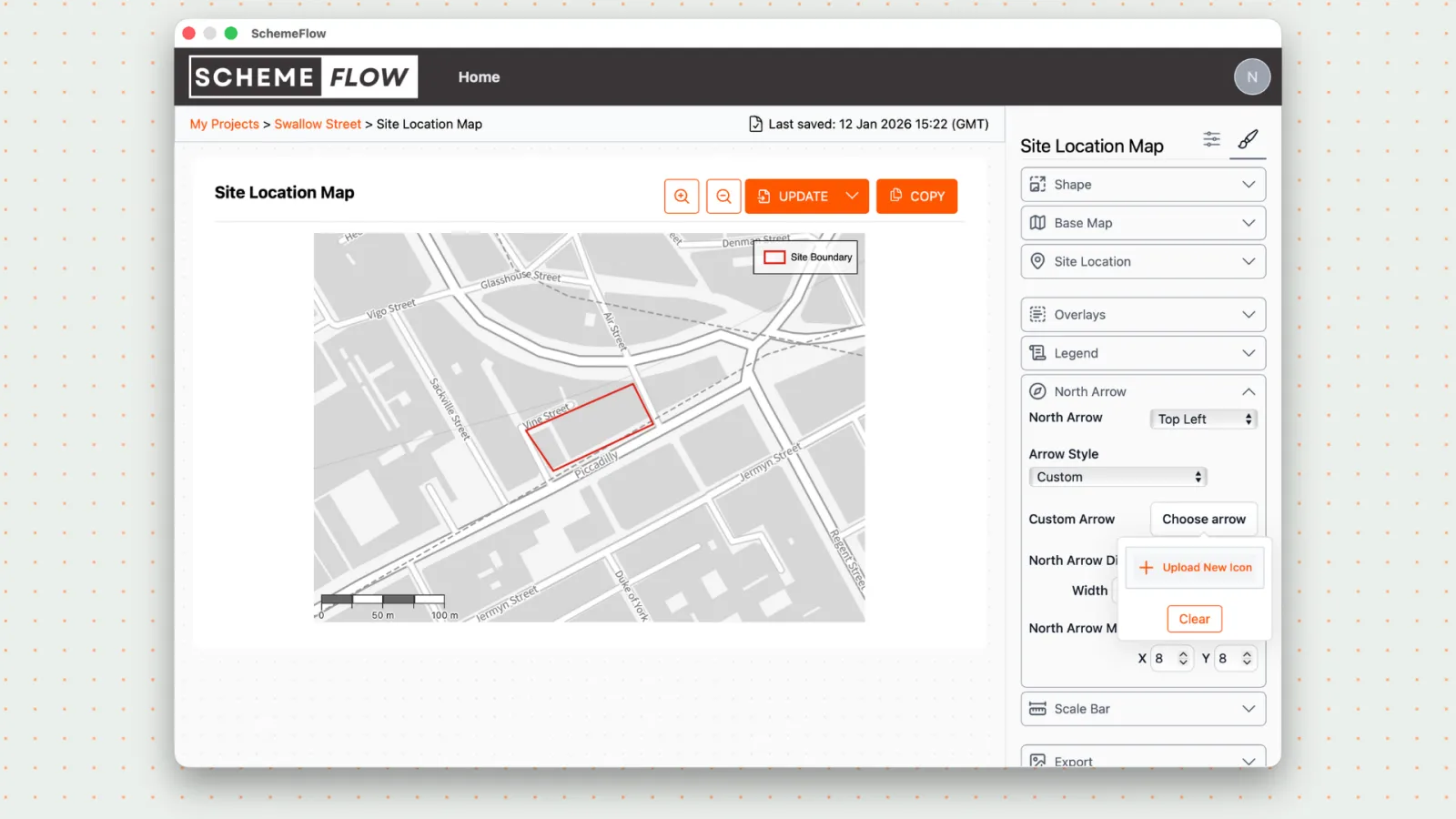
Click Company Styles to save the north arrow for this map.
Click Update to apply the changes to your document.
Notes
- Custom SVG files are recommended for sharper scaling.
- Changes will not appear in the document until Update is clicked.