
How to Add a Check
Understand how AI Review works, what it's good at, and how to use it effectively.
Steps
- Open Review from the SchemeFlow sidebar.
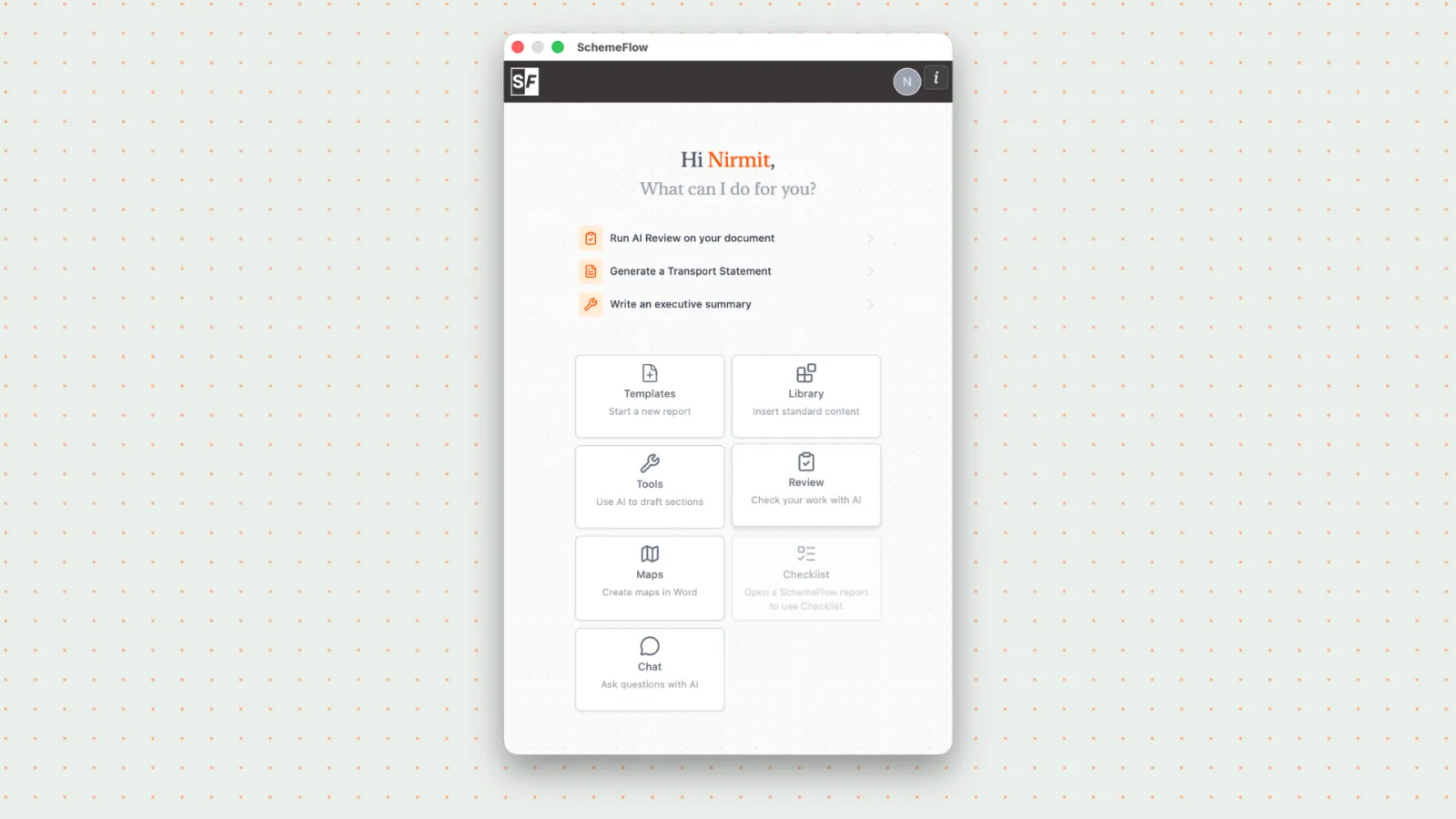
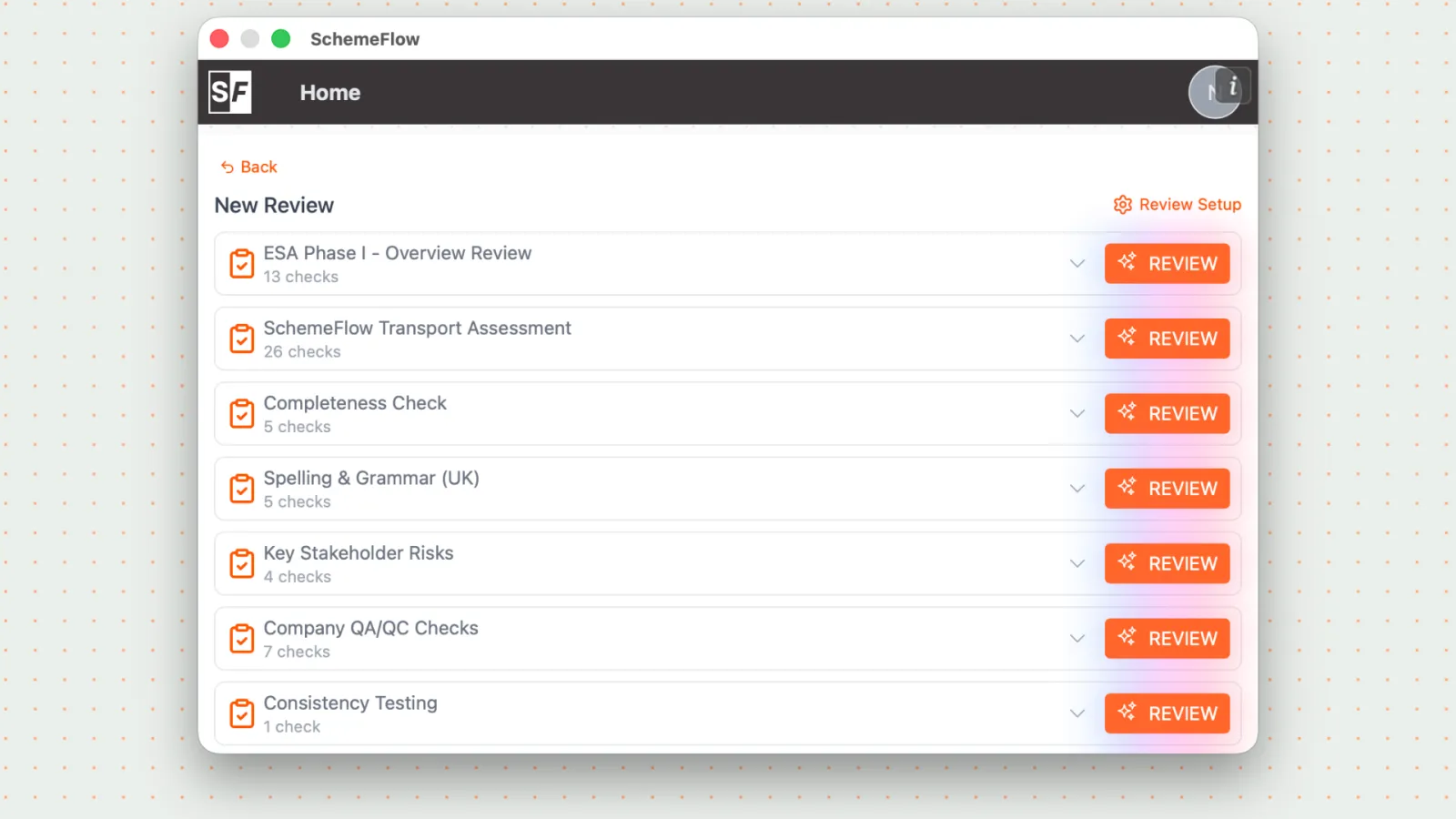
You'll see the default reviews set up for your company.
Click the Cog icon in the top-right corner to open Review Setup.
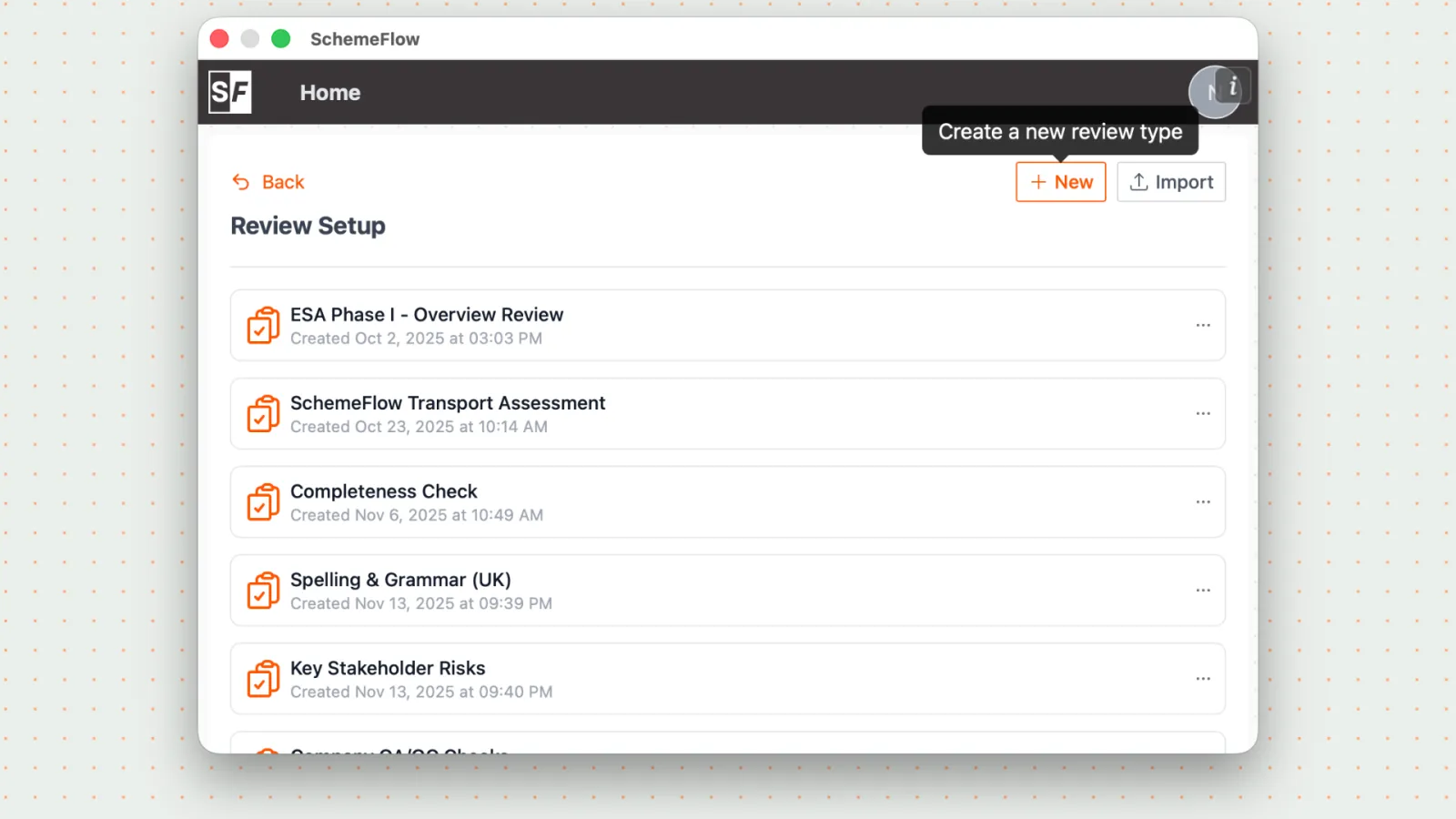
In Review Setup, you can:
- Edit existing reviews
- Add new reviews
Click New to create a new review.
Configure the review:
- Enter a review name
- Add tags to help organise and filter reviews
- Add the checks you want to include
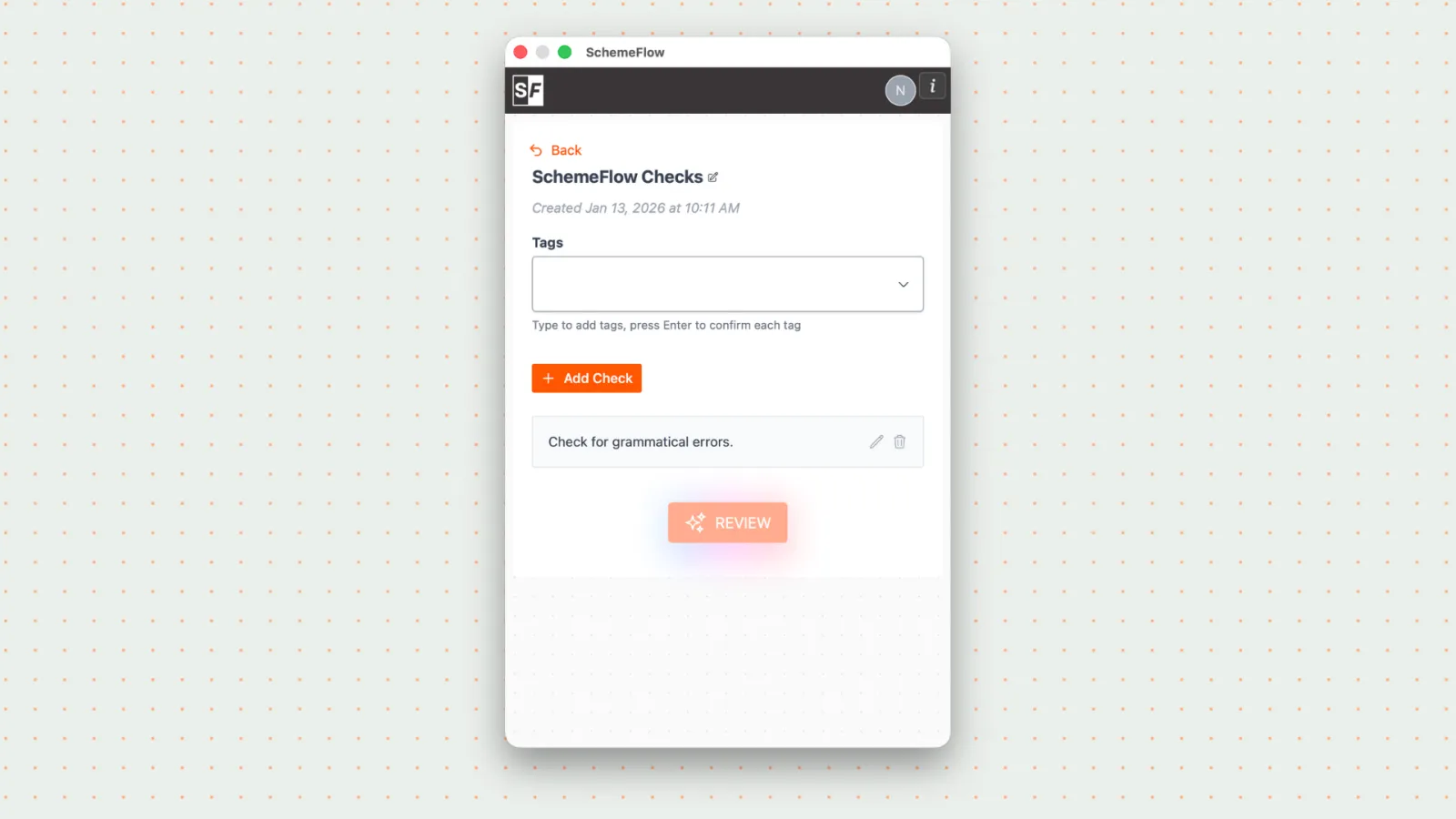
- Save your changes to make the review available in the Review Tool.
Notes
- Reviews can be tailored for different report types, teams, or workflows.
- Tags make it easier to reuse and find reviews later.